
Telegram communication broadcast
- Knowledge base
- Messenger configuration
- Telegram communication broadcast
When the broadcast is enabled in Telegram, client and operator messages are displayed in a live group chat. You can add to the chat all interested employees who need to control the work of the chat center.
In the section Settings > General > Broadcasting to Telegram, you can find it:
- Broadcast status (enabled/disabled);
- the name of the bot running the broadcast;
- a link to the group used for the broadcast.
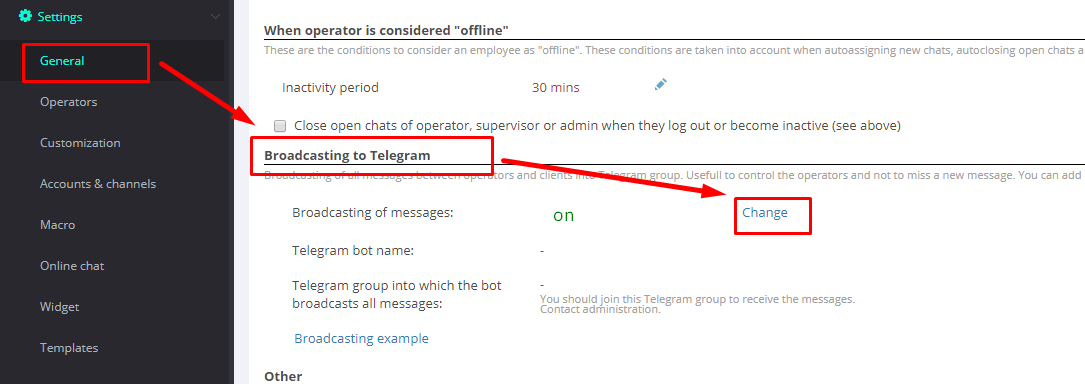
To connect the service, contact us via the widget.


Related articles
Messenger configuration
- Group chats on WhatsApp and Telegram
- How to create a direct link to WhatsApp account?
- Disabling read reports in WhatsApp
- How to change the bot name in Telegram?
- How to change a bot's description in Telegram?
- How to set the bot's avatar in Telegram?
- How to change the bot info in Telegram?
- How to highlight text in Telegram?
- How to add online chat?
- How to highlight text in WhatsApp?
- Transmit read status in numeric WhatsApp
- Token change for Telegram API
