
In release 2.93, we improved channel management, added message pinning in chats, expanded dialog analytics, and introduced new warning thresholds for dialog balance. We also automated WhatsApp Business API onboarding via Gupshup. All details are available in the November digest.
Self-service messenger connection
Messengers and Channels section now lets you connect popular messengers on your own. If a channel supports self-service connection, Connect button appears next to it, and the setup is completed directly in the interface without waiting for support.
Each channel now includes two sections:
- Connected are messengers that are already active
- Available to connect are messengers that can be added to this channel
For messengers that still require support assistance, a Request connection button is shown with a prefilled message for Telegram, WhatsApp, or Facebook*.
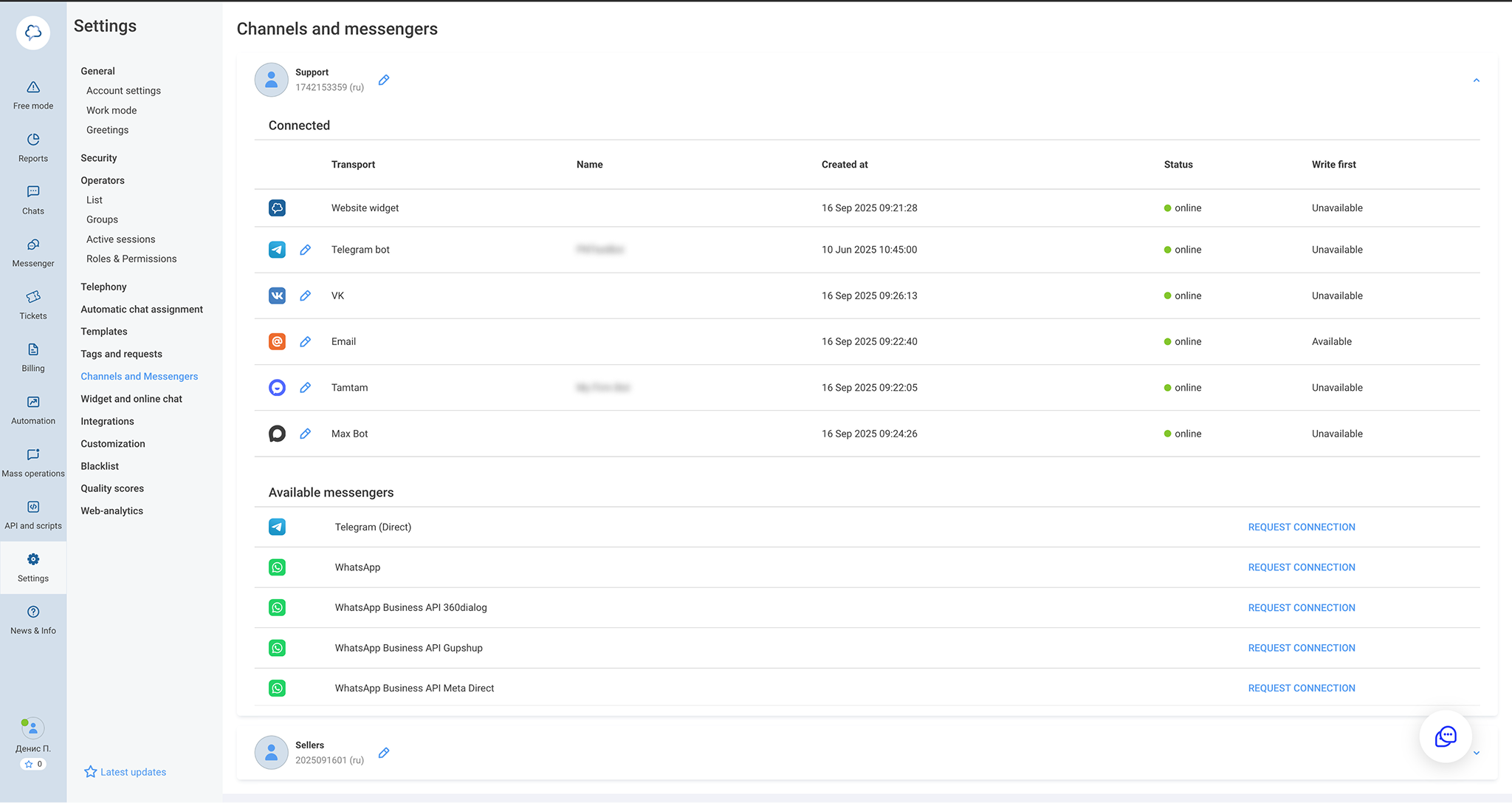
Access permissions have also been updated. Administrators can allow or restrict the ability to connect and configure messengers for specific team members. If the permission is disabled, users will only see the list of connected messengers, without connection buttons or access to settings.

These changes make channel management clearer and speed up launching new communication points.
Pinned messages in chats
Chats now support message pinning, using the same logic as in the corporate messenger, so important messages stay visible and don’t get lost in the conversation.
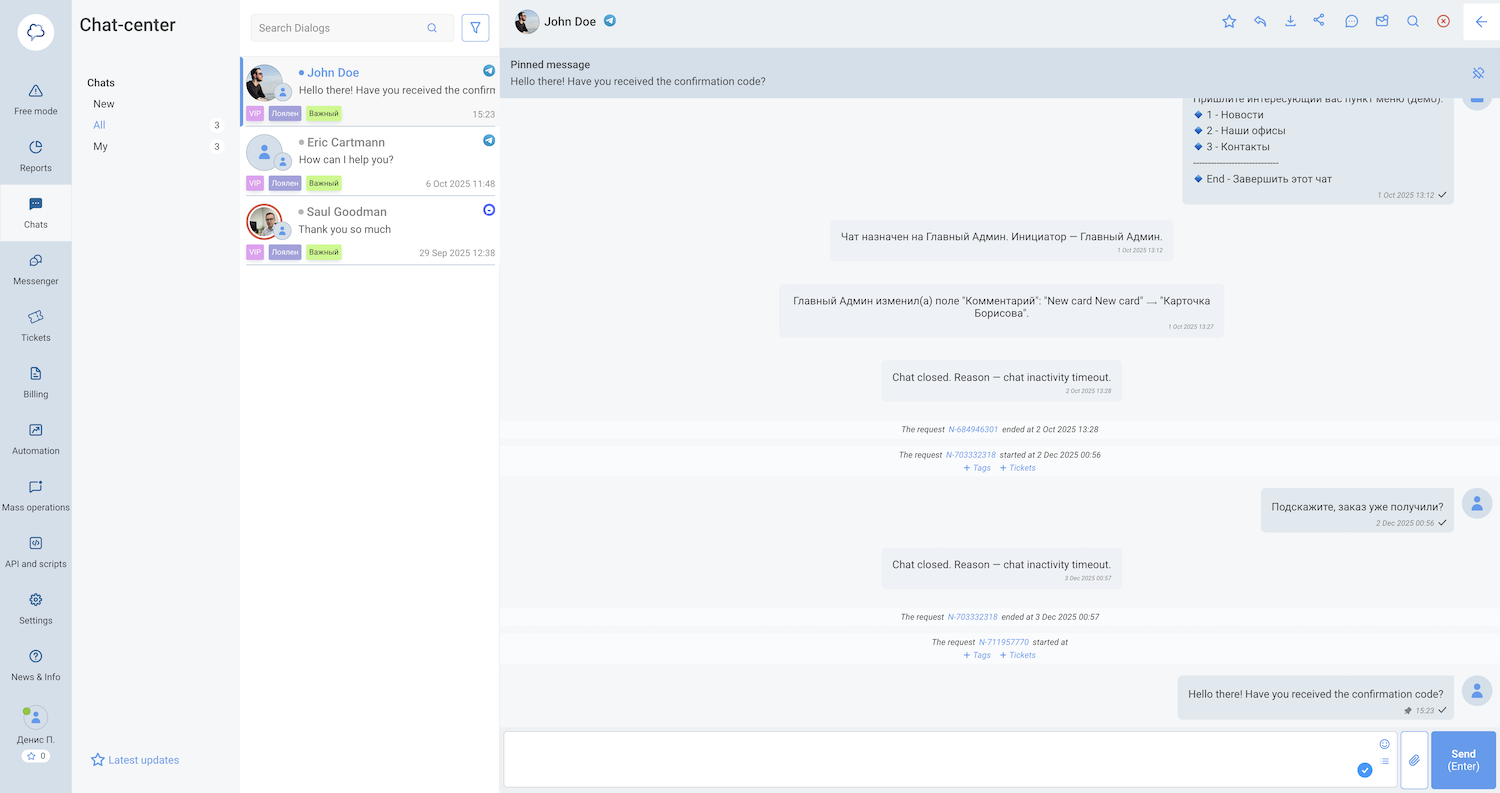
Two new actions are available in the message context menu: Pin and Unpin. Pinned messages are shown in a separate list at the top of the chat. This list is shared across all operators, so every pinned message is visible to the whole team.


Access rights are configurable. Only users with the appropriate permission can pin or unpin messages. By default, this permission is enabled for administrators only.
Detailed report on active dialogs
We added a new report that shows all dialogs included in the monthly activity calculation. For each dialog, you can see the date, channel, messenger, and message type, with a quick link to the dialog itself.
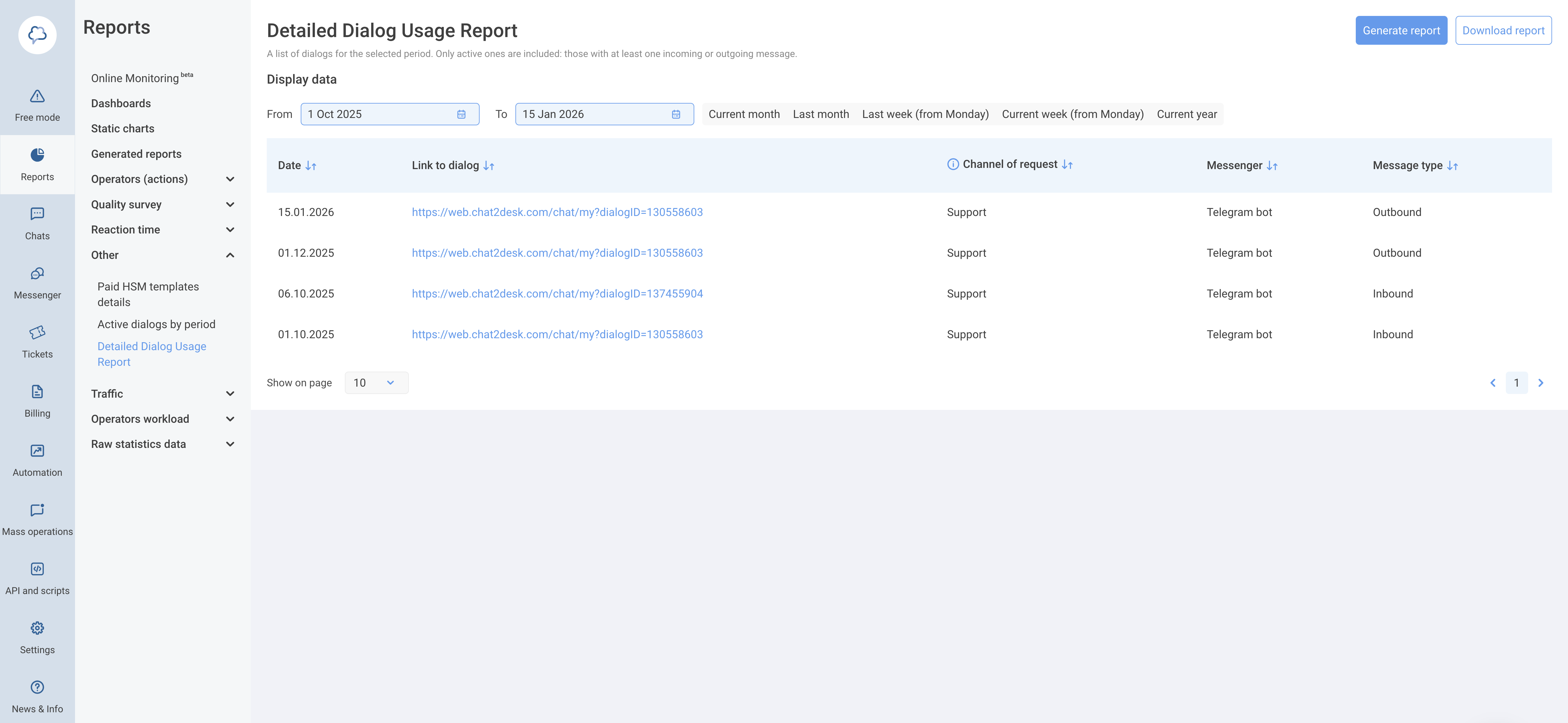
This report helps understand where activity comes from, which channels are used more often, which days are busier, and whether there are any unusual spikes. It provides better control over usage and helps plan dialog packages more accurately.
The report is available to users with statistics access in Reports > Other.
Warning threshold for dialog balance
A separate warning threshold for dialog balance is now available in Settings > Billing > Warning and cutoff thresholds.
The threshold is set as an integer value and defaults to 10% of the dialog volume included in the package. If the threshold is changed manually, it will no longer be recalculated automatically when the package changes.
When the remaining dialog balance drops below the threshold, a warning banner appears in the interface. When the balance reaches zero, a notification informs that message sending is no longer available. In both cases, email notifications are sent to the account administrator.
Access to this setting depends on billing permissions and access to the thresholds page.
Corporate messenger: updates for Favorites
In the corporate messenger, the Favorites chat now allows editing your own messages without any time limits. This applies only to messages sent by you. Forwarded messages from other users remain unchanged and cannot be edited.
Message deletion in Favorites is also available without time limits. You can remove both your own and forwarded messages at any time, keeping only the notes that are still relevant.
VK integrations domain update
VK is migrating to the new domain vk.ru, and services are gradually discontinuing support for vk.com addresses. We updated all VK integration requests in Chat2Desk to ensure connected channels continue to work correctly.
The change is applied automatically and requires no action from your side. All requests are now sent to vk.ru in line with VK platform requirements.
Automatic Gupshup onboarding for WhatsApp Business API
WhatsApp Business API onboarding via the Gupshup provider is now automated. The system creates the application on the provider side, retrieves the required keys, subscribes to webhooks, and generates the onboarding link automatically.
The interface shows the current application status and familiar fields, while the channel management logic remains unchanged.